Smile Creator

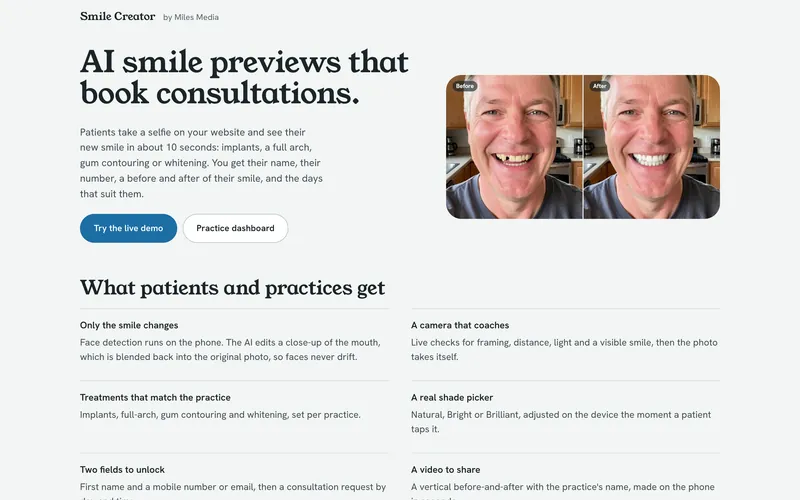
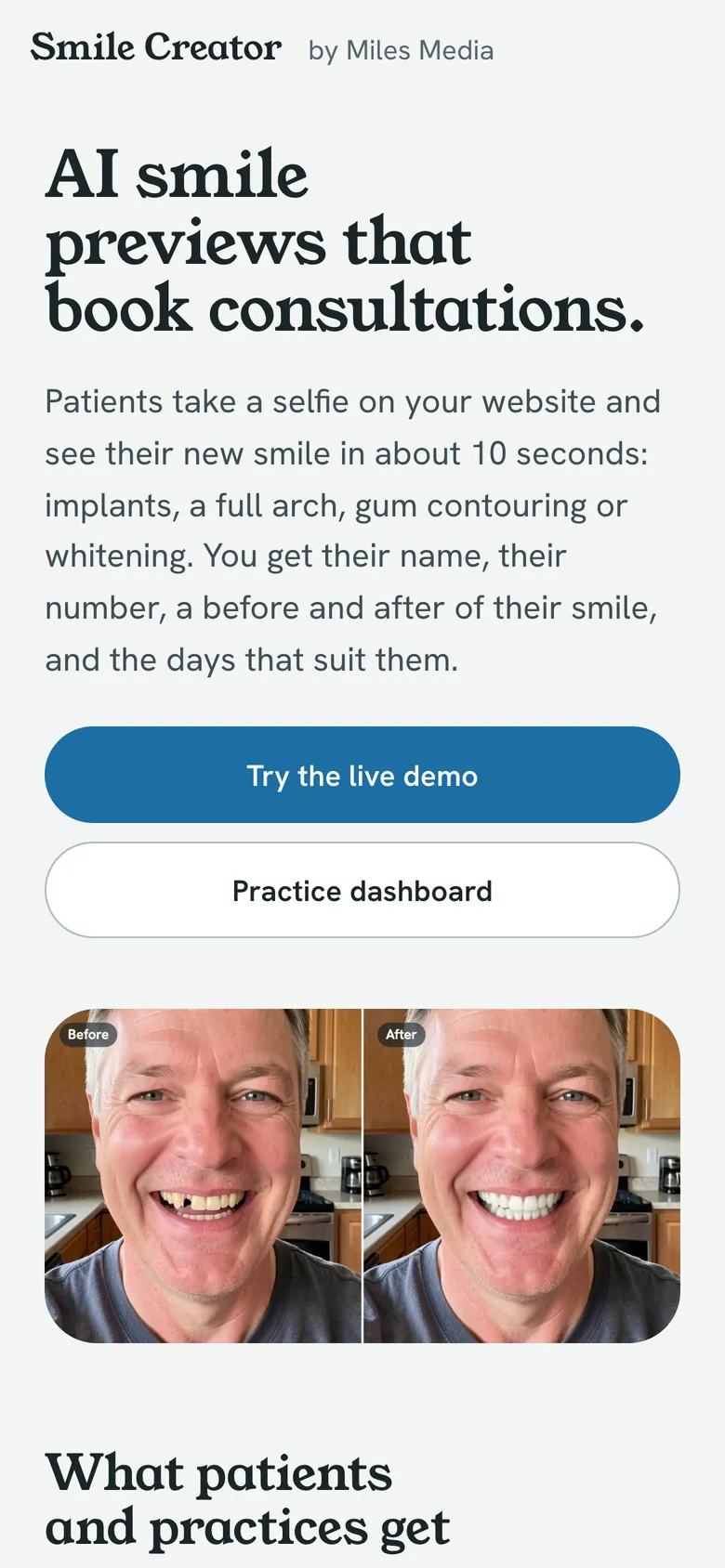
AI smile previews for dental practices: a patient takes a selfie, picks a treatment and sees a new smile in seconds.

Smile Creator, AI smile preview app built by Miles Media
Built for
Dental practices
Type
AI smile preview app
Status
Live
Built
Oct 2026

An existing smile preview tool offered one option and asked patients for eight or more form fields before showing anything. Every extra field is a reason for a patient to give up, and the practice loses the lead.

We built a version that edits only the smile, shows a result in seconds and asks for two details first, so the practice gets the lead and the patient gets a preview they can trust.

  • A guided selfie

    The camera coaches framing, distance and light, then takes the photo itself.

  • Five treatments

    Best overall smile, missing teeth, full arch, gumline and whitening, with three tooth shades to compare.

  • Two fields to see it

    A first name and a phone number or email shows the result, and a follow-up form requests a consultation.

  • A before and after to share

    The phone makes a short before and after video with the practice's name on it.

  • A dashboard for the practice

    Leads with photos, contact details and requested times, plus a simple way to add the preview to the practice's own website.

Built October 22 and 23, 2026 and live as a working demo for one practice. Adding another practice is a quick setup, and a daily cap keeps running costs predictable.

Could a custom app like this help your business?

Any business that sells a visual result, such as dentists, med spas, salons or remodelers, can use an AI preview to turn website visitors into consultations.

See how AI app development works, from the first call to launch.
For the technical reader

Technical Stuff

How Smile Creator is built, what it runs on, and the hard problems we solved along the way.

How it's built

Smile Creator runs on Cloudflare Pages with Pages Functions and no front-end framework. MediaPipe Face Landmarker is self-hosted and loads only when a visitor reaches for the camera, finds the face on the phone, and crops a 512-pixel square around the mouth. That crop goes to a Pages Function, which checks a Turnstile token, applies rate limits and sends the crop to FLUX.2 klein 9B on Workers AI with a fixed prompt per treatment, falling back to the 4B model after retries. The edit comes back to the phone, is color-matched to the surrounding skin and composited into the full-resolution photo through a feathered lip mask. Leads and rate-limit counters live in Workers KV, and each practice is one entry in a config file that publishes its own page.

Built with

  • Cloudflare Pages
  • Pages Functions
  • Workers AI
  • FLUX.2 klein
  • Workers KV
  • Cloudflare Turnstile
  • MediaPipe Face Landmarker
  • JavaScript
  • Canvas API
  • MediaRecorder

The hard parts

  1. Prompts that drew metal screws

    Naming implants in a prompt made the model draw exposed metal screws in the mouth, and the gumline prompt turned lips glossy and cartoonish. Reviewing the rendered sample sheet caught both. The prompts now describe only the visible result, such as natural replacement teeth with no metal, and tell the model to leave the lips alone. We re-check the sample sheet after any prompt change.

  2. Keeping the face unchanged

    Sending the whole selfie to an image model risks changing the person. Only the mouth crop leaves the phone, and the result is blended back through a mask traced from facial landmarks, so nothing outside the smile can change. The model also tends to render very white teeth, so each shade carries a lightness offset and a target on the yellow-blue axis in CIELAB color.

  3. Bots spending the daily budget

    Once the account moved to a paid plan the free allowance stopped capping spend, so scripted traffic could use the day's renders and lock real visitors out. Renders now require a Turnstile token, checked before the rate limits or the model. It runs while the patient picks a treatment and stays invisible unless Cloudflare wants a click.

  4. Leads without a database

    The account had hit its limit on D1 databases, so leads live in KV. Keys embed an inverted timestamp so a plain listing returns the newest first, and a second key per lead allows lookup by id. KV listings can lag a write by up to a minute, so a brand-new lead can take that long to appear in the practice dashboard.

Start a project

Have a problem software could fix?

Tell us what is slowing your business down. If a custom app is the right fix, you get a fixed price before any work starts.